
3.4 KiB
Obsidian Encrypt Plugin
Hide secrets in your Obsidian.md notes.
This plugin allows you to encrypt portions of text so you can store sensitive details within and alongside your notes.
Under the hood it uses the Advanced Encryption Standard (AES) in GCM mode.
WARNING: Use at your own risk. Your passwords are never stored anywhere, if you forget your password you can't decrypt your text.
Usage
How to encrypt text
- Select the text lines to encrypt

Note: Partial, selection is ok, it will be expanded to include the whole line.
-
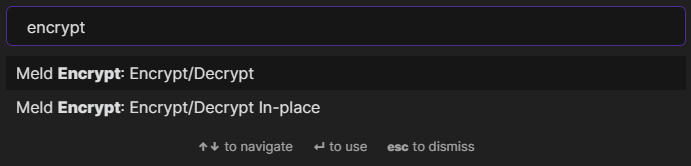
Run the Encrypt/Decrypt command from the palette (or bind a keyboard shortcut to it)
-
Enter and confirm a password to use

-
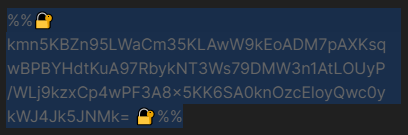
Your selected lines are now encrypted
How to reveal your encrypted text
-
Place your cursor on the encrypted line

-
Run the Encrypt/Decrypt command from the palette
Note: If you choose 'Encrypt/Decrypt In-place' your text will be decrypted directly into the editor without showing the dialog in step 4 below.
- Enter the correct password

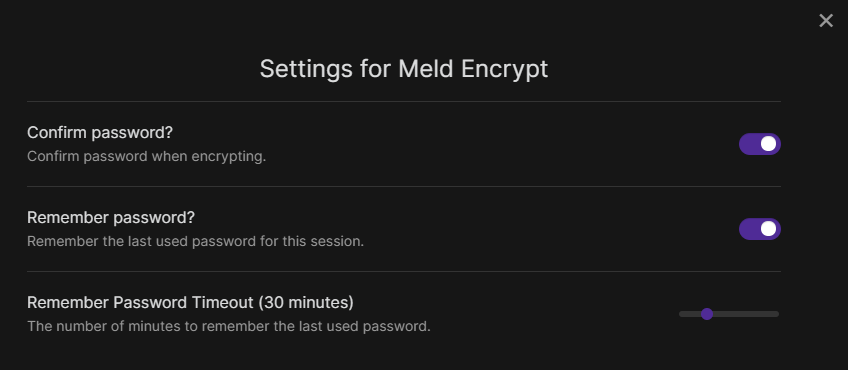
Note: Your previously used password is filled in by default (You can change this in the plugin settings).
- Your decrypted text is revealed
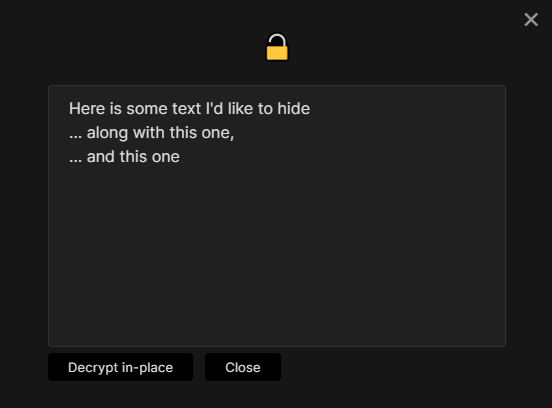
Note: Click 'Decrypt In-place' to replace the encrypted text in the editor.
Settings
Installation
You can install the plugin via the Community Plugins tab within Obsidian by searching for "Encrypt"
Do you find this plugin useful?
Thank you for your support 🙏